Meet SYNTHIA: A SAMPLER and SEQUENCER DIY Kit for Beginners
Build and play the CircuitMess Synthia DIY sampler and sequencer kit, with soldering, control tests, pattern editing and the limits noticed during sampling.
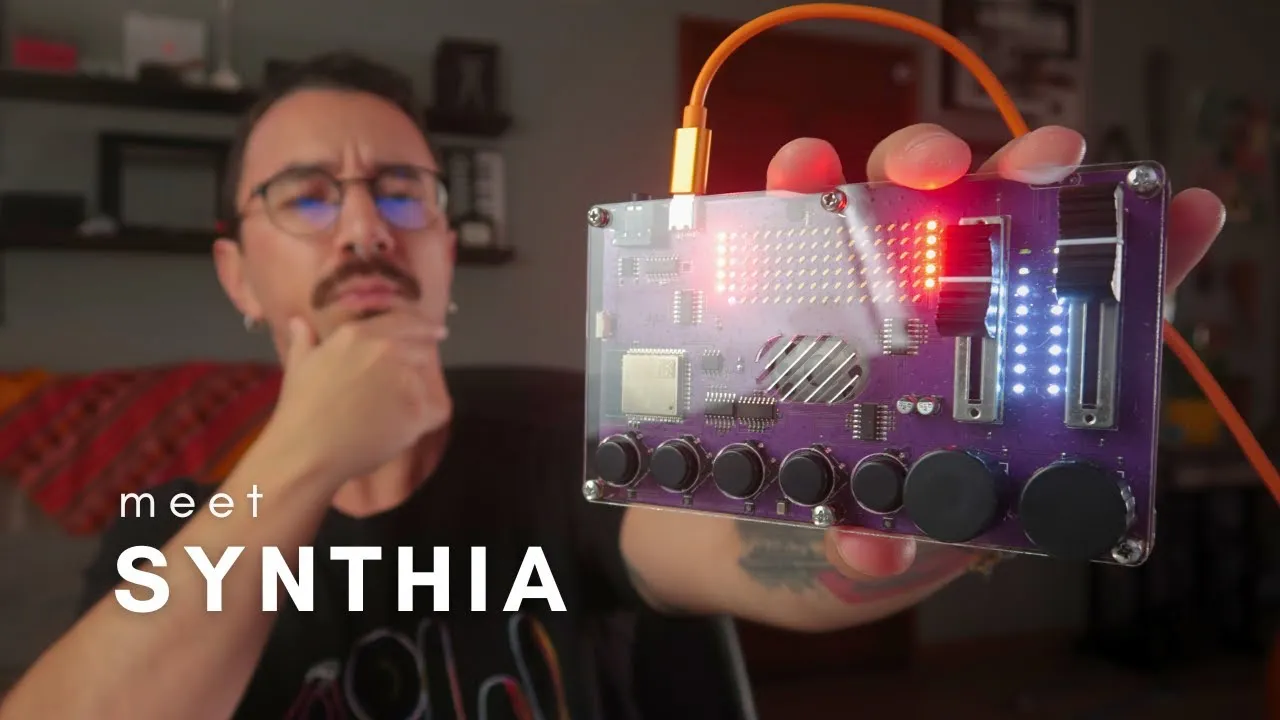
CircuitMess Synthia combines soldering a kit with making music on a sampler and sequencer. I assembled it and explored its first patterns and voice samples, finding both approachable construction and a sampling limitation worth understanding before choosing the kit.
What assembly involves
The kit includes a PCB, tactile buttons, rotary encoders, enclosure parts, screws, knobs, rubber feet, a speaker, and a USB cable. Assembly mainly involves soldering the controls to the board and fitting the electronics into the case. The large solder pads felt approachable in the demonstration, though one encoder pin was missed and had to be corrected. The speaker also needed to be connected during case assembly. These moments are useful reminders to check every pin and part orientation before closing a kit.
After connecting it, the unit runs a hardware test that asks the user to press each button. The tester confirms that the controls register before moving into the instrument interface. I use a separate USB-C cable because the cable supplied was very short.
Build a pattern and record a sample
In the demonstrated sequencer, columns represent steps and rows represent tracks. The controls move a cursor through the pattern, add or remove steps, adjust tempo and volume, and switch between the sequencer and sample functions. Holding a control changes modes; the video shows how easy it is to enter sample or effect mode accidentally while learning the interface.
Synthia can record audio through its sampler and save a sequence. In the session, a recorded voice sample plays, but I could not edit the sample’s start point. As a result, the recording did not land in time with the sequence. The video does not establish whether a workaround exists, so treat that as an observed limitation of this session rather than a definitive statement about every version.
Who may enjoy the kit
The kit combines basic soldering with immediate musical feedback, which can make it engaging for someone learning electronics. The demonstrated workflow is playful and approachable, but the review also shows that learning the mode controls takes experimentation. I also explored the advertised block-based customisation and Arduino IDE route, but did not complete an Arduino IDE modification because I could not find enough documentation.
Synthia makes sense as a kit for a musician who wants to solder an instrument and explore sampling and patterns immediately. The mode controls take practice, and editing a recorded sample’s timing was the main obstacle in my session. For a project focused on designing a custom MIDI surface, a dedicated controller build offers a different starting point.