How Expressive MIDI Controllers Work
Understand expressive MIDI controllers through MPE, pressure, position, Hall-effect and optical sensors, and the relationship between gesture and sound.
An expressive MIDI controller lets a player shape more than note-on, note-off and a single shared pitch bend. Its design combines sensing, playing surface and software so that a gesture—pressure, position or movement—can become a continuous musical control. This overview compares several approaches and explains the engineering choices behind them.
From one control value to per-note expression
On a conventional keyboard, velocity describes how strongly a key is struck, while pitch bend usually affects all notes on the same MIDI channel. MIDI Polyphonic Expression (MPE) gives each note its own channel, allowing per-note messages such as pitch bend. A compatible instrument and software setup must agree on the pitch-bend range and MPE configuration; the controller alone does not guarantee the intended sound.
Expressive surfaces add dimensions of touch. Depending on the instrument, a player may strike, press, slide or glide. Sensors provide changing values while the gesture continues, rather than just a single trigger. High-resolution sensing can make fine changes easier to capture, while the surface itself helps the player understand where and how to touch.
Different instruments, different sensing strategies
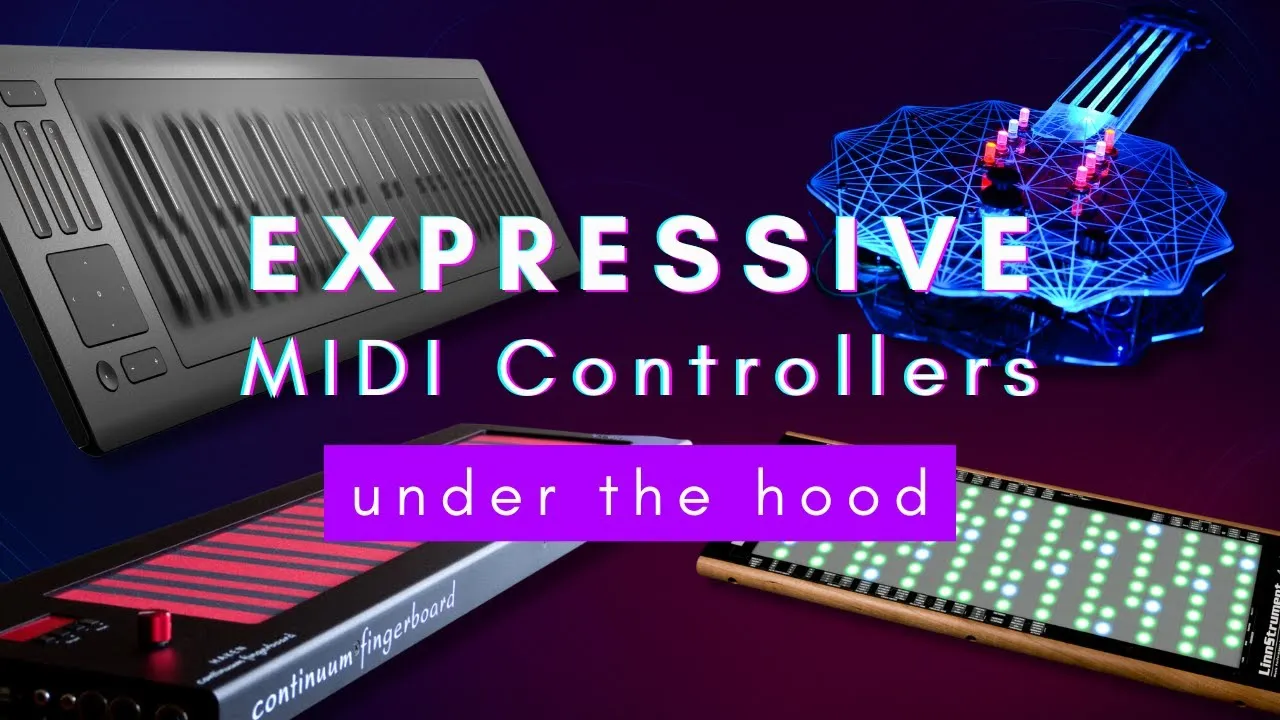
The video discusses the ROLI Seaboard as a soft, continuous keyboard surface. Its touch sensing can track position and pressure-like changes across a note, providing data that software can turn into dimensions such as velocity, horizontal movement and pressure. The creator describes a matrix of force-sensitive sensing beneath the playing surface. The exact proprietary implementation is not established in the video, so this is a conceptual explanation rather than a teardown specification.
The LinnStrument is used to explain a more accessible force-sensing approach. A force-sensitive resistor changes resistance under pressure. Arranged in rows and columns, a controller can scan multiple sensing points and estimate where pressure occurs. That requires scanning the matrix quickly and translating its readings into useful MIDI messages.
Other approaches trade playing feel, layout and complexity. The Haken Continuum uses a soft surface that allows broad movement but can make accurate intonation harder. Expressive E’s Osmose combines familiar piano-style keys with continuous response. Hall-effect sensors detect changes in a magnetic field, so moving a magnet relative to the sensor can provide a position value; the video points to magnet-equipped mechanical keys as one example. Modular touch surfaces, LED-guided layouts and hand-gesture systems offer still other ways to map movement to sound.
The creator’s own XT Synth is a simpler example built from off-the-shelf components: a soft potentiometer under each string tracks finger position left and right, and a slide potentiometer controls the bow-like hand. The strings send separate MIDI channels, enabling independent bends. A virtual-fret behavior snaps the initial touch to a tuned note and then allows continuous slides and vibrato. The video says pressure sensors were tried for the other hand but abandoned after they broke; this is a useful reminder that sensor durability and construction are part of the instrument design.
Building blocks for a DIY expressive controller
The options named in the video include force-sensitive resistors for pressure, soft potentiometers for one-dimensional position, capacitive touch sensors or a sensor matrix for multi-touch, Hall sensors with magnets for movement, and optical or infrared sensing for gestures. The best choice depends on which movement matters musically. A controller that only needs finger position does not need a complex pressure-sensitive matrix.
A multi-sensor surface can demand a fast microcontroller, custom firmware and higher-resolution analog readings. The video mentions Teensy 4.0, ESP32-S3 and Raspberry Pi Pico as possible controller platforms, and Daisy Seed when building a synthesizer. These are examples from the discussion, not a guarantee that any board is interchangeable or suitable for every sensor count. The firmware must interpret the sensor readings, map them to MIDI data and coordinate with the receiving instrument or plug-in.
Mechanical construction matters too. Material, shape and tactile feedback influence whether a player can control pitch and expression reliably. A successful design is not only a sensor that produces data; it is a playable interface whose response makes musical sense.
Choose expression around the musical gesture
Start with the gesture you want to hear: a bend per finger, a pressure swell, a slide, or a hand movement in the air. Then choose a sensor and playing surface that can measure it, decide how the software will interpret the value, and verify the MIDI configuration—including MPE and pitch-bend range where relevant. The video is an overview rather than a full build guide, but its central lesson is practical: define the expressive action first, then select the sensing and firmware needed to capture it.