4# How to Code Potentiometers (Complete Guide) - MIDI Programming for the Arduino
Learn how a potentiometer connects to an Arduino analog input and how its reading can become a MIDI Control Change message.
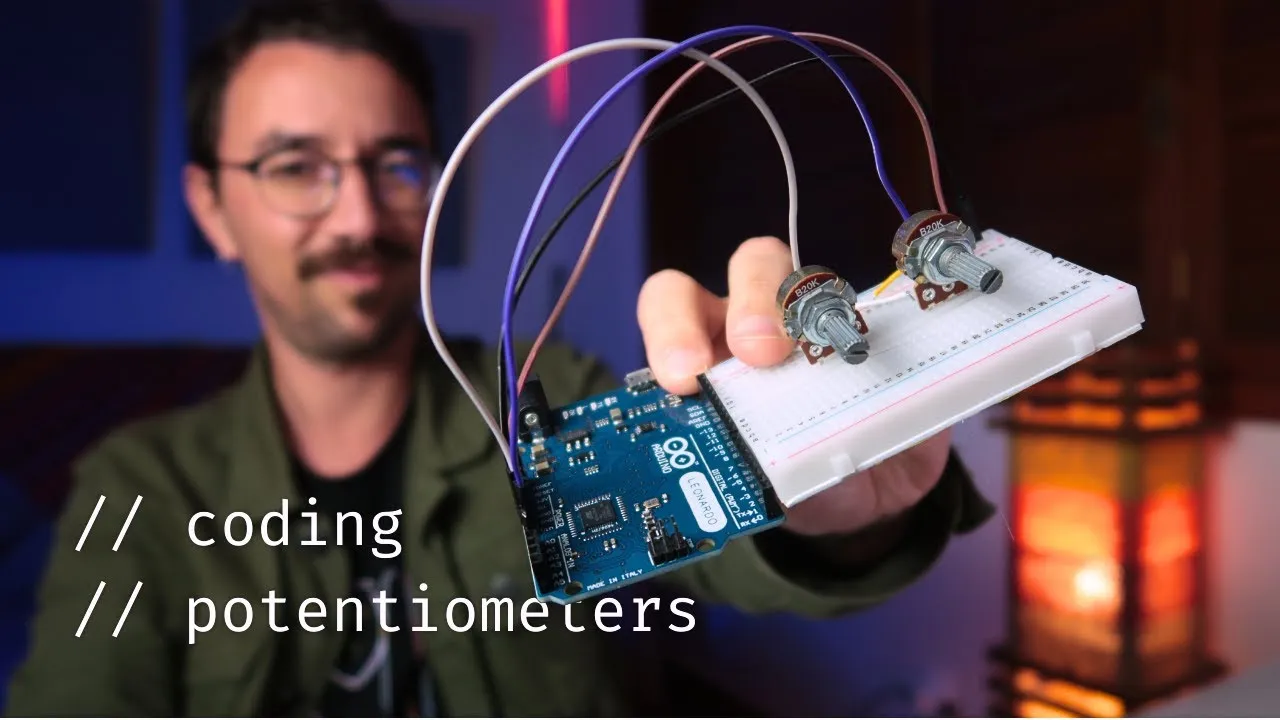
A potentiometer gives a MIDI controller a physical knob whose changing position can be read as an analog input. This tutorial connects that reading to MIDI Control Change (CC) messages. It covers the circuit and programming concepts; a complete sketch and build procedure are not included.
The example parts and circuit
Use an Arduino Leonardo, or another board compatible with USB MIDI, a linear 10 kΩ potentiometer (often marked B10K), a breadboard and jumper wires. Connect one outer potentiometer terminal to ground, the other to 5 V, and the center terminal—the wiper—to analog input A0.
As the knob turns, the wiper position changes the voltage seen at the analog input. The exact electrical limits and pin suitability depend on the board; check the documentation for the specific hardware before building a physical circuit.
From analog input to MIDI CC
Use analogRead() to obtain the analog input value and map() to scale that reading to a MIDI-suitable range. The MIDIUSB library can then send a Control Change message with a chosen MIDI channel and controller number.
This connects a continuous physical movement to a MIDI message that software can use to change a parameter. The receiving instrument or DAW still needs to interpret or map that CC message to the desired control. Choose a CC number, channel and any filtering threshold for your setup; these depend on the receiving software and are not specified here.
Related ideas
analogWrite() and Pulse Width Modulation (PWM) can approximate analog output on supported digital pins, for example to control LED brightness or motor speed. PWM output is a separate use of Arduino pins from reading a potentiometer and sending MIDI CC.
ResponsiveAnalogRead is a library for smoothing noisy analog readings. Its settings depend on the circuit and project; no particular configuration is prescribed here.
Scope and limitations
This guide covers the potentiometer circuit, analog reading, range mapping, optional smoothing and MIDI CC output. It does not include a complete sketch, library installation steps or a verification procedure. Adapt those steps to your board and test the circuit and MIDI output before relying on it in a performance.