LIVE (edited) about the L1V3 BOX: A FULLY PROGRAMMABLE MIDI ROUTER
Follow the L1V3 Box MIDI routing workflow: destinations, filters, MIDI Learn conditions, reverse CC and an Octatrack break-and-drop performance example.
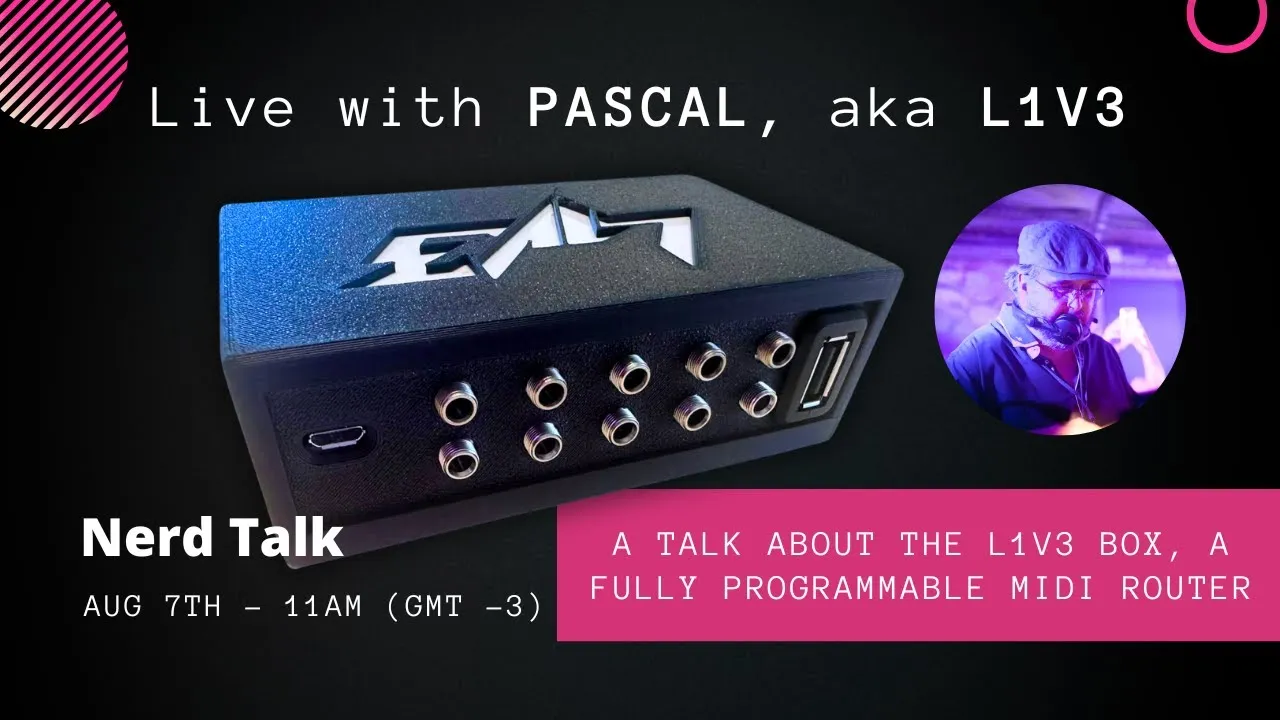
A programmable MIDI router becomes useful when a performance needs more than sending every message to every device. The edited L1V3 Box session demonstrates that job through routing, filters, conditions and transformations, finishing with an Octatrack performance example.
For the project’s origins, hardware iterations and extended questions with Pascal, read the full L1V3 Box conversation. The box and editor shown were prototypes in August 2024, so the steps explain the demonstrated system rather than promising a current production interface.
1. Decide which input should reach which output
The basic building block is a route. A controller produces a MIDI stream at an input; one or more instruments receive the selected messages at outputs. Routing makes that relationship explicit instead of relying on a long chain of devices passing everything onward.
In the browser editor, the inputs and outputs are visible as parts of the box. Start with an intended connection: which controller should address which instrument? A route can forward a stream, merge it with others or keep it separate from a destination that should not respond.
The prototype discussion includes five physical TRS MIDI inputs and five outputs, along with USB host connections. Connector compatibility and the intended USB device arrangement remain part of the hardware setup. A routing rule cannot compensate for an incompatible physical connection.
2. Filter the message types a destination actually needs
A route does not have to deliver every message. The editor demonstrates filtering categories such as clock, SysEx, Control Change, Note On/Off and aftertouch. That lets a destination receive the information relevant to its role.
For example, the design motivation includes working with instruments that need SysEx and with setups where clock should reach some devices without turning every controller movement into traffic for the whole rig. Decide what each destination needs before adding transformations, then verify that ordinary routing behaves as intended.
This distinction keeps a patch understandable: a filter decides which messages continue; a transformation changes the content of a message that is being processed.
3. Use MIDI Learn to make a rule specific
The editor’s MIDI Learn function can build a condition from a control you move. The learned information includes details such as MIDI channel, message type and controller number.
A condition matters because many faders may all send Control Change. A reverse-CC rule intended for one crossfader should not accidentally reverse every CC entering the box. Restricting the rule to the intended channel and controller number preserves other controls’ behaviour.
The practical sequence is to create or choose the rule, learn the intended control and watch whether only that control activates it. Checking the condition is as important as checking the calculation.
4. Reverse a CC value and inspect both sides
The “reverse CC” demonstration maps an increasing incoming value to a decreasing outgoing value. The interface displays the values so the result can be inspected while moving the control.
On its own, reversing a value is a simple transformation. In a performance, it can coordinate an action with a control that moves in the opposite sense. The useful part is combining that operation with routing and a condition, so the transformed data reaches the right instrument at the right time.
Keep other messages passing normally where the setup requires them. A patch should make clear which values were deliberately changed and which were simply forwarded.
5. Coordinate a break and drop on an Octatrack
Pascal’s demonstration connects an F.Fox controller with an Elektron Octatrack. The faders normally address track volumes. Buttons select tracks for a coming break, and a crossfader then changes the selected tracks together using the reverse-CC behaviour.
The setup also suppresses volume changes while the crossfader is in the break position. That allows Pascal to prepare new fader positions without immediately sending those temporary movements to the Octatrack. Moving the crossfader back applies the prepared levels for the next drop.
The router is therefore doing more than splitting a cable. It keeps track of control state and makes the meaning of a fader movement depend on the current performance condition. That is the musical reason for a programmable layer between devices.
To design a similar interaction, describe the states in words first: which tracks are selected, when preparation should be silent and which action commits the prepared values. Then connect those states to incoming messages and outgoing destinations.
6. Understand where Lua fits
L1V3 uses Lua rules so a user can edit behaviour without rebuilding the box’s entire firmware for each change. Presets are code, while the editor can expose annotated values and controls through a friendlier interface. An advanced user can write a rule that another player reuses as a preset.
In the demonstrated development workflow, both the browser environment and the box have Lua interpreters. USB MIDI also carries editor communication identified for the device, so editor updates can be kept distinct from ordinary performance traffic. The conversation explains how the connected browser participates in testing and how the configured box is intended to run independently afterwards.
This is why a working browser example and standalone behaviour both need checking. The end goal is a performance rig that keeps its configuration after the editing computer is removed.
7. Test rules and recognise prototype limits
Pascal explains that syntax errors stop a rule from running and that runtime errors are caught and reported with a message and line reference. The design aims to isolate a failing rule instead of stopping the whole box. That is a safeguard described by the developer, rather than an independent reliability test.
Test a patch incrementally: establish the route, verify a filter, learn the condition, check the transformed values and only then combine them into the complete performance interaction. A MIDI monitor or the editor’s displayed input/output values makes the behaviour easier to trace.
Clock generation was uncertain: Pascal wanted the system to follow incoming clock and did not present the prototype as a clock source. CV/Gate, DMX and additional automation were discussed as possible future directions, beyond the demonstrated MIDI-routing task. The strongest takeaway is a clear patching method: define the musical action, identify the messages and states it needs, then verify each routing decision before relying on it in performance.