Build a ONE KNOB UNIVERSAL CONTROLLER for Ableton, Premiere, Davinci Resolve, Lightroom
Learn the idea behind the One Knob Universal Controller, which uses a physical knob as a mouse control for adjusting on-screen parameters.
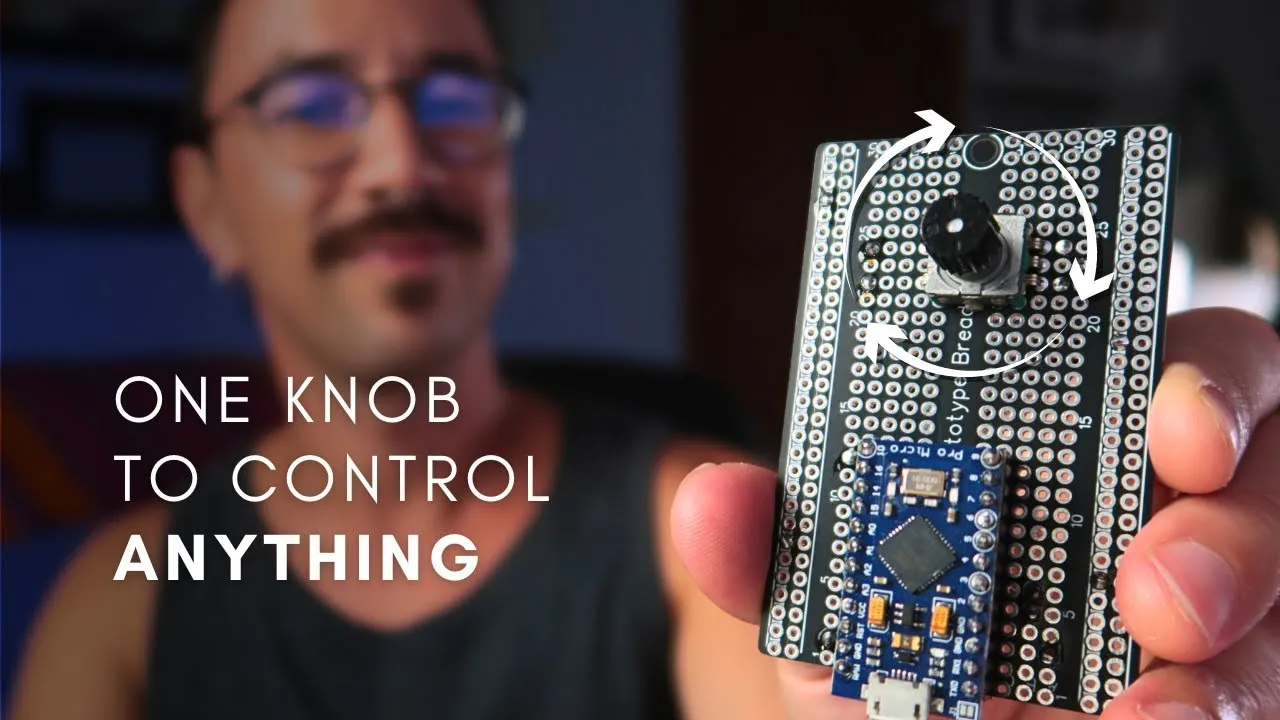
A physical knob seems like a natural way to adjust a filter, an effect, or another parameter while you work. But what if it controlled whatever sits under the cursor, without relying on a separate MIDI mapping for each piece of software? That is the idea behind the One Knob Universal Controller presented by Nerd Musician.
The project uses an Arduino Pro Micro and a rotary encoder to turn knob movement into mouse control. This differs from sending MIDI Control Change messages: the computer receives interface actions instead of a MIDI message that must be assigned inside a DAW.
Watch the project
Watch the original video on YouTube.
The workflow: cursor, parameter, and knob
The video description lays out a simple sequence: move the cursor to an on-screen parameter, click it, and then use the knob to change its value. Instead of opening an application’s MIDI mapping mode and assigning a CC number, the project acts on the interface like a mouse.
This could help with an occasional adjustment to a visible control without creating a permanent mapping for every plugin. The knob becomes a physical extension of the gesture you would normally make with a mouse. The result depends on how each interface responds to movement and clicking; the concept does not mean every parameter, window, or application will behave the same way.
Why use an Arduino Pro Micro?
The video calls out the Arduino Pro Micro for its HID capability. HID is the class of devices that lets a computer recognize human interface peripherals such as keyboards and mice. In this project, that capability lets the board present itself to the computer as a mouse device.
That matters when choosing a board. The video description warns that other Arduino boards may not offer the same HID capability. Do not substitute just any Arduino without first confirming that the board and firmware can serve this role on your computer.
Mouse HID is not MIDI CC
A MIDI controller sends messages, such as Control Change, that an instrument or DAW can map to parameters. The One Knob Universal Controller takes a different route: it sends mouse actions to the graphical interface. That changes both the setup and the project’s limits.
With MIDI, a mapping usually connects a physical control to a specific parameter. With mouse control, the context is the cursor position and the response of the on-screen element. This can make it flexible for interacting with visible controls, but it also makes behavior depend on the interface, the focused window, and how the software interprets the gesture.
What to check before building
The material reviewed confirms the general components—an Arduino Pro Micro, a rotary encoder, and a breadboard—and the mouse-control concept. I could not confirm a transcript, schematic, pinout, code, or libraries. This article therefore introduces the concept and does not replace the video’s build instructions or project files.
Before reproducing the circuit, check the video for the wiring and code details that match your board. Also verify that your operating system recognizes the device as a mouse, and test the workflow in a non-critical interface before using it in a session. The title’s mentions of Ableton Live, Premiere, DaVinci Resolve, and Lightroom describe intended applications, not guaranteed behavior across every version or control in those programs.
A simple control with a different approach
The One Knob Universal Controller proposes a direct way to bring your hand to an on-screen parameter: position the cursor, select the control, and turn a knob. Its central idea is to act as a mouse HID device instead of relying on a MIDI CC mapping. To build something similar, you will need to confirm the board, firmware, and software interaction details in the original material.