How to Source Electronic Components Like a Pro (Mouser, LCSC, Digikey...)
Choose DIY MIDI controller components by electrical values, dimensions, shaft and footprint. Compare manufacturer part numbers across Mouser, DigiKey and LCSC.
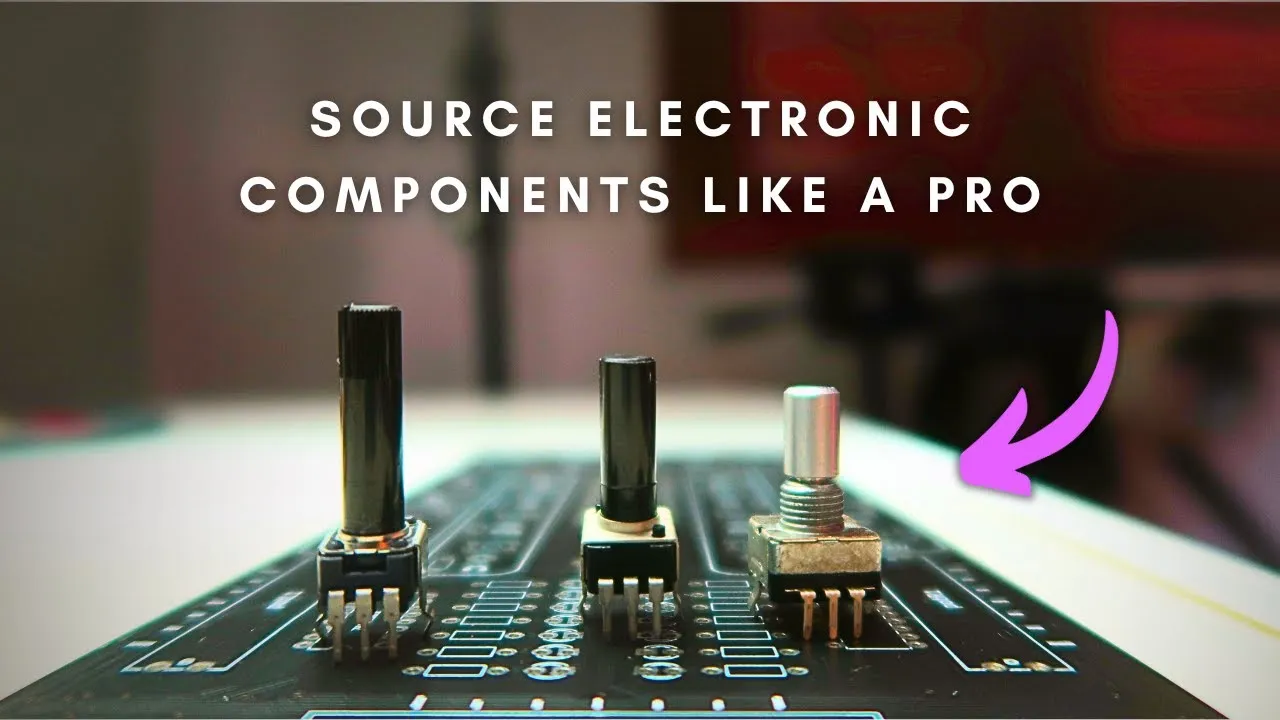
This video is a practical guide to choosing parts for a DIY MIDI controller. The key idea is to turn a vague search for “a potentiometer” or “an encoder” into a documented choice: define the mechanical and electrical requirements, compare candidate parts, then record exact part numbers and supplier links.
Start with a parts sheet
The example project is the Traktorino. Its bill of materials includes through-hole controls—potentiometers, slide potentiometers, mechanical switches and a rotary encoder—as well as surface-mount parts such as LEDs, resistors, multiplexers and bit shifters. The Arduino Pro Micro is the controller board in this Arduino MIDI project. A spreadsheet keeps the options legible: component type, brand, manufacturer part number, distributor number, key specifications, links and prices.
The video uses AliExpress for basic components and mentions SparkFun and Adafruit as electronics-focused sources. For more specific selection, it compares Mouser, Digi-Key and LCSC. The creator searches Mouser first because its filters and search are useful for discovery, then checks the chosen manufacturer part number at LCSC, which fit the China-based PCB sourcing plan for this particular project. That is a sourcing choice for this build, not a universal rule.
Choose controls by fit and behavior
For a rotary potentiometer, the example search begins with a 10 kΩ linear part. Then the selection narrows by orientation, shaft style and length, detent, switching option and mounting type. These details determine whether the control matches the panel and PCB and whether its feel suits the use. For example, a center detent can help identify a midpoint, while a flat D shaft fits a matching knob.
The datasheet is essential when a listing leaves out a dimension or when a part family offers many variants. In the example, the creator compares Alps Alpine and Bourns candidates and decodes series information to find a vertical, linear, 10 kΩ potentiometer with a flat shaft, a selected shaft length and no switch or center detent. The more expensive candidate is rejected for this controller’s needs. The point is to compare specifications and cost against the job instead of assuming the highest price is necessary.
An encoder is different: it can rotate continuously, and its pulses per revolution affect how finely a turn changes a value. Detents add tactile clicks. For browsing tracks, the Traktorino design seeks a click per selection and considers a 24-pulse, 24-detent part with a flat shaft and push switch. Read the part’s drawing and datasheet to confirm orientation and switch behavior; similarly named variants can have different footprints.
Check switch and surface-mount details
Mechanical switches need the right mounting dimensions and fit. The video compares mechanical keyboard-style switches with the tactile buttons used in the earlier Traktorino and describes a preference for the mechanical feel. The PCB footprint, plate or panel opening and keycap must agree; the prototype later revealed that the switch mounting holes needed adjustment.
For surface-mount components, package size matters as much as the electrical value. The video explains that manufacturer part numbers identify a specific variant across distributors, while supplier catalog numbers help locate that part in a particular store. Record both when useful, and verify the package code against the PCB footprint before ordering.
A repeatable sourcing workflow
- Write down what the control must do and how it should feel.
- Define required electrical values, mounting orientation, dimensions and any detents or switches.
- Filter a distributor catalog, but leave unclear filters unset until the datasheet resolves them.
- Open the manufacturer datasheet and confirm the exact variant and mechanical drawing.
- Search the manufacturer part number at the supplier you plan to use; compare availability and price.
- Enter the confirmed details, links and cost in the parts sheet, then check the part against the PCB footprint and enclosure.
This workflow helps avoid buying a component that is electrically suitable but mechanically wrong. It also keeps later substitutions traceable: a substitute should match the dimensions, electrical behavior and intended feel, not just the broad component name.
Check the part before committing the layout
The examples reflect the Traktorino design and the suppliers considered in the video. Availability, stock, prices and distributor catalogs change, so check them when ordering. The spreadsheet and walkthrough do not replace reading each current datasheet or checking your own PCB and panel dimensions.
If the board itself is still undecided, compare the microcontroller choices for MIDI first. A component list is more useful once the input count, supply voltage and USB MIDI path are clear.