I Built a US$10 MIDI CONTROLLER
Turn a shoebox and reused controls into an Arduino MIDI project, then configure the control counts and pins and map the result in Ableton Live.
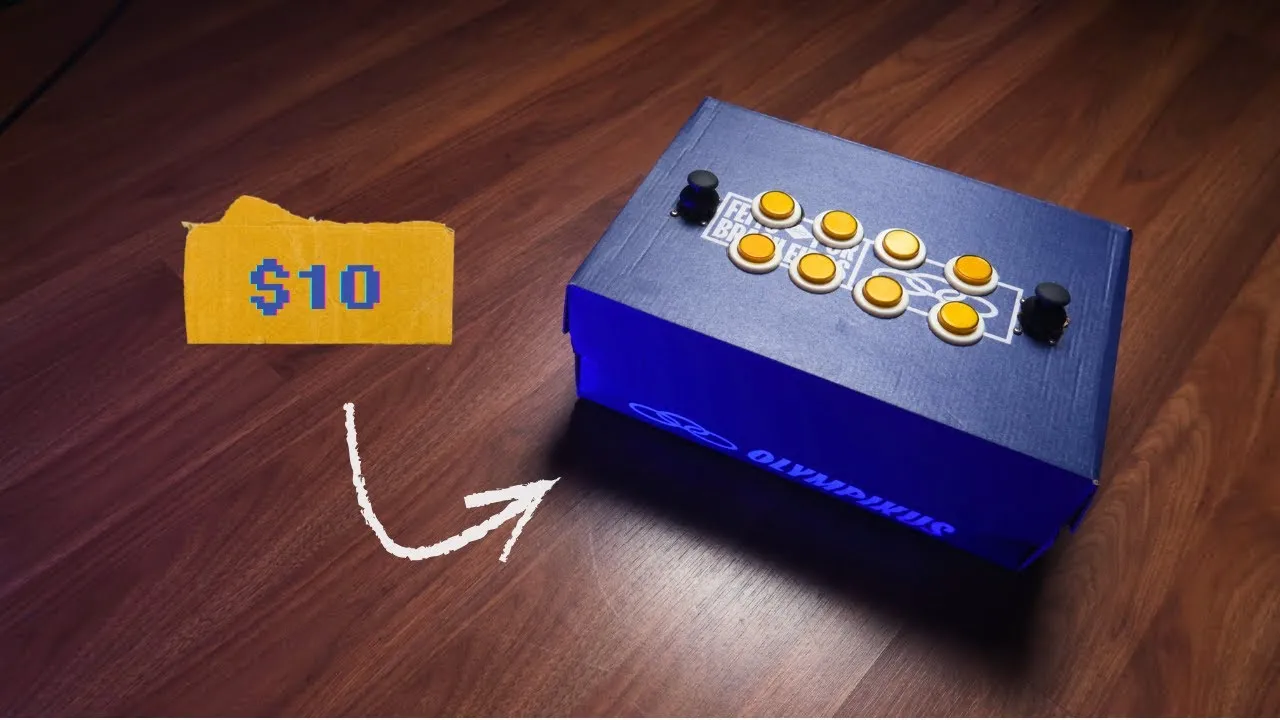
This low-cost Arduino MIDI project combines reclaimed parts with a simple cardboard enclosure. The video’s “under $10” figure describes this particular build, which also uses arcade buttons and joysticks the creator already had; it is not a universal parts budget.
Build the physical controller
The enclosure is a shoebox, chosen because a purpose-made case can be one of the more expensive parts of a controller. The layout places eight arcade buttons and two joysticks on the box. Pilot holes are drilled first, followed by openings large enough for the buttons. Since the material is cardboard, the creator can adjust the holes and improvise a mount for the joysticks.
The arcade buttons share a common ground, and each has a separate signal wire. Different wire colors make it easier to trace the connections later. The joysticks are wired too. An Arduino Pro Micro is soldered to a solderable breadboard, with the control wires connected to it. Heat-shrink tubing helps prevent shorts. The cable passes through the box’s existing USB opening, and rubber feet are added underneath.
Configure the Arduino and test in a DAW
The video presents the Arduino as the controller’s microcontroller and uses a provided code template. The changes shown are to set the number of buttons and potentiometers, specify their pin connections, select the USB port and upload the code. The narrator then opens Ableton Live, loads a drum kit and maps the joysticks for use.
The firmware’s input counts and pin lists must match the physical circuit. Use the exact template or generated project configuration for those values; copying a pin table from a different controller would break that relationship. Each joystick also needs the configured analog inputs that match its wiring, rather than being treated as a single button.
Separate the build from its musical mapping
The buttons trigger a drum kit in the Ableton demonstration, while the joysticks are assigned through mapping. That is the distinction between the controller and the instrument: firmware produces messages, and the receiving software decides what those messages do. Changing the software assignment can give the same physical controls another purpose without rebuilding the box.
The cardboard enclosure makes experimentation easy, but the cost depends on the parts already available. Here, the arcade buttons were given to me and the joysticks were reused. For another layout, the buttons-and-potentiometers walkthrough offers a more detailed path through component assignment, debug firmware and MIDI testing. The useful idea is to prototype the musical interaction before spending on a finished case.