I Built a MIDI CONTROLLER for DJs: the TRAKTORINO 2.0
Meet Traktorino 2.0, an Arduino DJ MIDI controller with thirteen illuminated buttons, three faders, ten pots, an encoder and configurable LED colours.
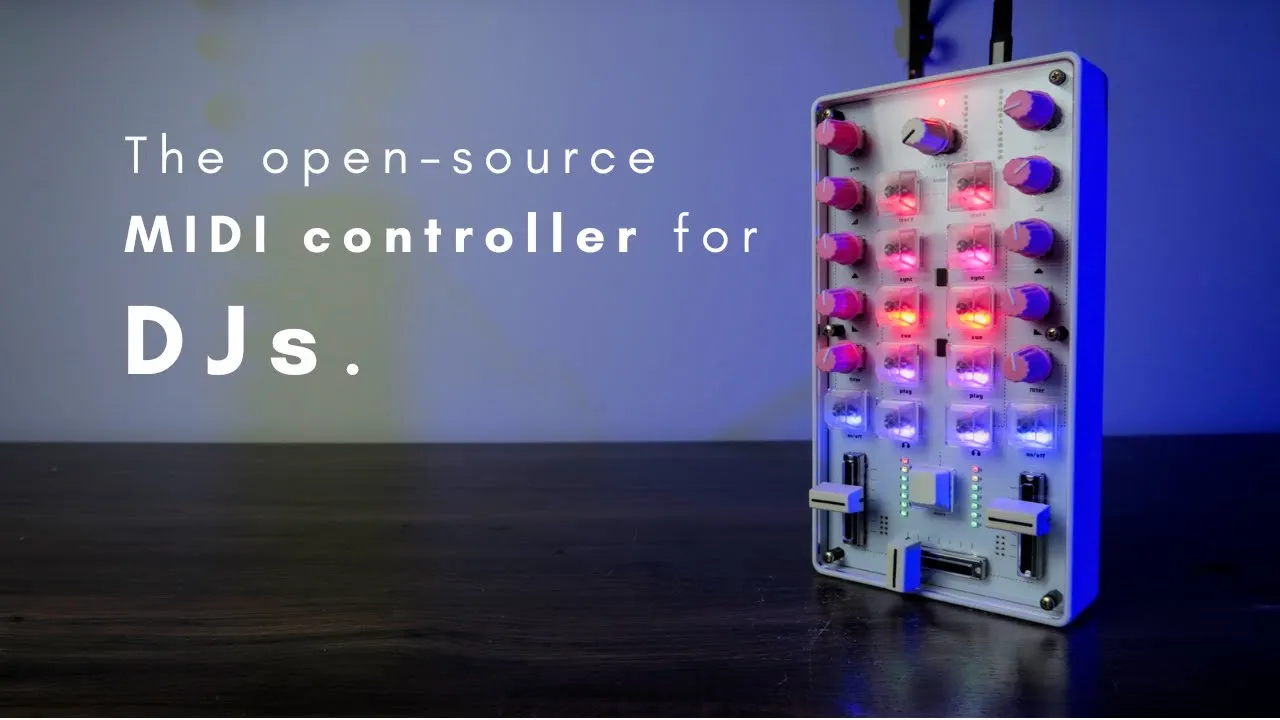
Traktorino 2.0 is a DJ-oriented DIY MIDI controller built around an Arduino Pro Micro. The video presents the finished design in two enclosure approaches and demonstrates how its controls can operate a Traktor-style workflow. Its layout is also mappable to other software that accepts MIDI.
Two ways to build the surface
The “light” version uses the component-loaded PCB, a transparent acrylic top and a second PCB underneath as protection, without components. The printed graphics on the board label the controls, so a separate printed front panel is not required. The other version adds a 3D-printed enclosure. The creator frames the lighter construction as a way to avoid some enclosure cost; the video does not provide a current price comparison.
The controller has 13 buttons with customizable colors, three faders, ten potentiometers and one endless rotary encoder. The button LEDs can be edited individually. In the demonstrated color-editing mode, a button combination enters the mode, the encoder selects a color, a button applies that color, and controls adjust brightness for active and inactive states. Pressing the encoder saves the choices to the Arduino’s memory.
Navigating and controlling a DJ setup
The encoder browses the music library; pressing it can move through folders. Dedicated buttons load tracks to decks A and B. Other labeled controls are assigned to actions such as sync, cue, play and listen, while additional controls can turn a filter on and off. The shift button exposes secondary functions, including cue points and effects in the shown mapping.
The supplied Traktor mapping is described as ready to use in the video. Because MIDI is mappable, users can assign the same physical controls to other DAWs or music software, but the mapping will need to match the target application. The creator notes that he is a controller builder rather than a DJ, so the performance demonstration is intended to show operation, not expert DJ technique.
Make status readable during performance
The LED editing workflow separates the colour assigned to a button from its brightness in active and inactive states. That distinction helps preserve a consistent visual identity while still indicating whether a control is on. After saving the setup by pressing the encoder, the controller can recall the chosen appearance.
For the exact entry gesture and save check, follow Traktorino colour editing. For the secondary layer, see the SHIFT demonstration. Those focused examples explain interactions that can be easy to miss in a product overview.
The open-source release and further tutorial mentioned in the September 2025 recording were plans at that point. Use the later Traktorino operation and architecture guide for the extended explanation. The design lesson is to give each physical control a clear performance action and to make secondary functions discoverable.