Traktorino Crowdfunding Launch LIVE
A launch livestream documents the Traktorino’s DJ layout, USB MIDI and LED feedback, Pro Micro with two multiplexers, modular enclosure, and open-source rationale.
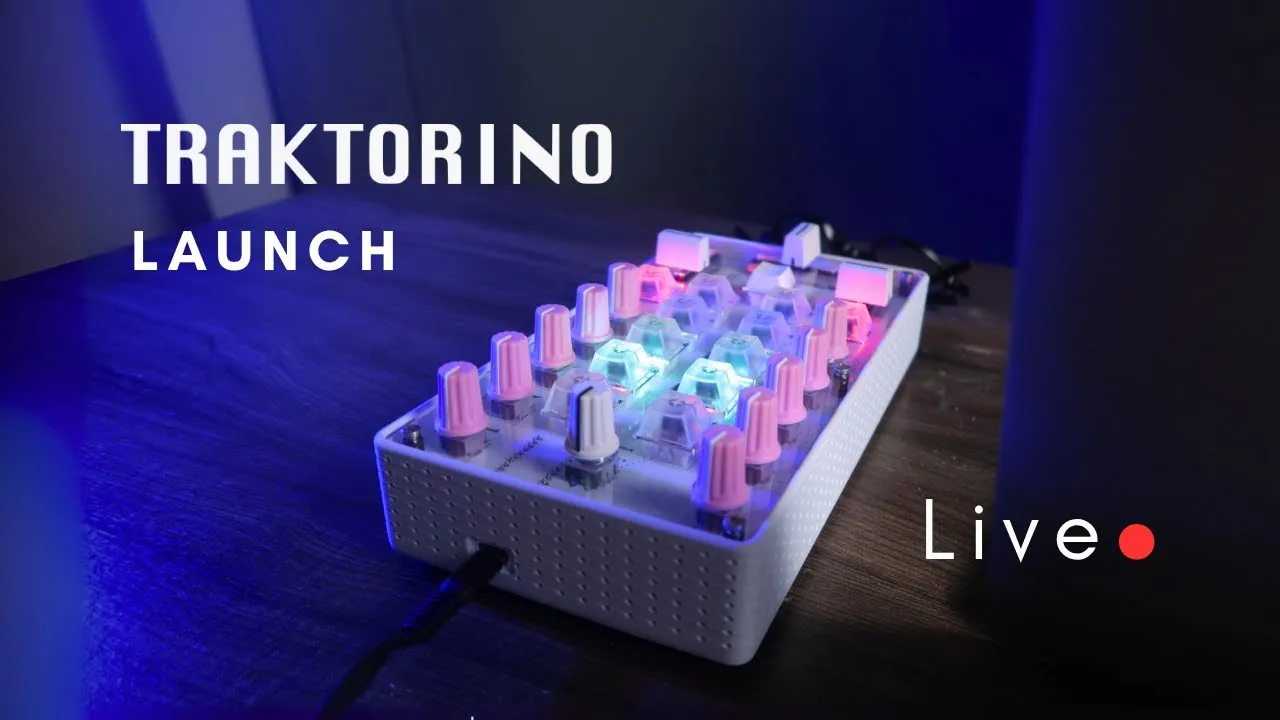
The Traktorino launch livestream is most useful as a record of design decisions and audience questions. It shows the controller working, then explains why the project was split into a populated circuit board, optional enclosure parts, and room for local fabrication. This is historical context from launch day, not current product or shipping information.
Why build a DJ controller as an open project?
Gustavo describes the Traktorino as a MIDI controller inspired by Traktor and designed mainly for DJs, though MIDI mapping can also make it useful with Ableton Live, Logic, and other software. The need behind it is familiar: a self-built controller can be inexpensive and customizable, but requires sourcing, soldering, and time; a commercial unit may be easier to buy but costly in some regions and closed to modification. Traktorino aims for a middle path: a purpose-built mixer layout with varying levels of maker involvement.
The project grew out of earlier MIDI-controller teaching and an initial Traktorino design from around 2018. That first board required soldering small components as well as larger controls, LEDs, and resistors. For the newer version discussed in the livestream, the small surface-mount components are assembled at the factory. The builder can focus on the larger through-hole controls, or choose a board that arrives fully populated. That change addresses a practical barrier for musicians who want the instrument but have little soldering experience or limited time.
A compact layout for two DJ decks
The live demonstration walks through the physical controls rather than presenting the board as an abstract MIDI surface. Each deck has a load button and play control, with sync available for beat matching. The mixer section provides channel volume, high, mid, and low EQ, plus a filter that can be switched on. A crossfader handles transitions between decks. A rotary encoder with a push action browses the music library and folders; its function can change when combined with Shift or another control.
The encoder and Shift combination can also act as a jog control, so the demonstrated setup does not require a dedicated jog wheel. Different mappings can step by beat or move more continuously through a track. This is a useful example of how a small physical control surface can cover more actions through layers, though the exact behavior depends on the mapping loaded in the DJ software.
The board uses an Arduino Pro Micro and two multiplexers. The Pro Micro alone does not have enough inputs for all controls; each multiplexer adds 16 inputs, leaving room for the controller’s buttons and potentiometers. USB-C connects the unit directly to a computer as a USB MIDI class-compliant device, so the livestream describes no separate power supply as necessary. The demonstrated workflow sends MIDI to Traktor and uses MIDI feedback from the software to drive the LEDs. The hardware control sends an action; the software’s response returns status that the lighted controls can display.
LEDs and hands-on customization
The button caps are translucent, with LEDs underneath. The live shows an editing mode entered by holding Shift, Load A, and Load B together for three seconds. In that mode, the encoder changes hue; controls assign the chosen color to buttons. Separate brightness controls set the LED level for an active state and an inactive state, which makes feedback legible in a dark DJ booth without forcing every button to glow at full intensity. Pressing the encoder saves the configuration to memory, so the selected colors remain after unplugging and reconnecting the controller.
The session also distinguishes what was available in the demonstrated build from possible future work. LED color editing is shown. Crossfader curve adjustment, by contrast, is requested in the chat and described as something that could be added to the code, not as an existing setting. The creator proposes documenting code changes and collecting feature requests through the project community. This distinction matters when reading a launch livestream: a suggestion or roadmap comment is not a shipped feature.
For the dedicated color workflow and the layered control idea, see Traktorino color editing mode and Traktorino Shift button. Those videos focus on operation; this article keeps the launch discussion and its decisions at the center.
Why offer different enclosure paths?
The livestream explains that a molded enclosure can be expensive because it requires tooling and production volume. The proposed kit approach separates the electronics from some enclosure work. Makers could use the board and source components themselves, receive a populated PCB, or combine the board with enclosure pieces. The enclosure shown uses a top acrylic panel, a bottom layer, spacers, and optional 3D-printed structure. The 3D-printed part is not a standalone shell in the demonstrated version: it mounts against the acrylic and bottom pieces. Acrylic could also be laser-cut locally, while spacers and other mechanical parts could be sourced nearby.
That modular construction is an important design choice, not just a packaging detail. It lets a buyer decide where to spend effort: solder and source controls, fabricate a panel, or assemble a more complete set. It also allows a maker to change the visual finish or adapt fabrication to local tools. The live session answers questions about combining acrylic and printed housing and about sourcing parts, but those answers refer to the launch plan then under discussion.
What the live session leaves open
The Traktorino is presented as open source, with the goal of sharing files so owners can build, modify, and contribute mappings. The livestream frames the launch as an experiment with the community: questions and feedback could influence documentation and later revisions. It also mentions international manufacturing and fulfillment as part of the plan. Those commercial details are time-sensitive and should not be treated as current terms.
As a launch conversation, the video is strongest on rationale: making the design easier to assemble, keeping enclosure work flexible, and letting the DJ layout remain modifiable. It is not a complete assembly manual or a verified current parts list. For the operational overview and demonstrated control behavior, see TRAKTORINO All you Need to Know! The Arduino DJ open-source MIDI Controller (Edited Live Session).